
Barcodes & QR codes
Barcodes and QR codes: scan instead of typing.
GestaPro assigns each item an internal code and an EAN-13 barcode, prints QR code and barcode labels as PDF, then recognizes reads from a barcode scanner or the phone camera. A scan adds the item to an invoice, a quote, a delivery or receipt note, the cash register or the inventory: if it is already there, its quantity increases.
AT A GLANCE
Barcodes and QR codes in GestaPro: the essentials
- Supported codes
- EAN-13, EAN-8 and Code 128
- Internal code
- Configurable prefix (GP-00001), unique per item
- Labels
- PDF, 6 formats: 4 A4 sheets and 2 thermal rolls
- Readers
- USB or Bluetooth barcode scanner, phone camera
- Where to scan
- Invoices, quotes, orders, delivery and receipt notes, credit notes, cash register, inventory

How does scanning work in a document?
A barcode scanner set to a QWERTY keyboard on an AZERTY workstation is corrected automatically: “GP)00012” is read as “GP-00012”.
- Open an invoice, a quote, an order, a delivery or receipt note, or a credit note.
- Scan the item with the barcode scanner or the phone camera.
- GestaPro finds the item by its internal code, then by its barcode, then by its reference.
- Item already present: its quantity increases. Otherwise, a line is added with its price and VAT.
Which label formats can be printed?
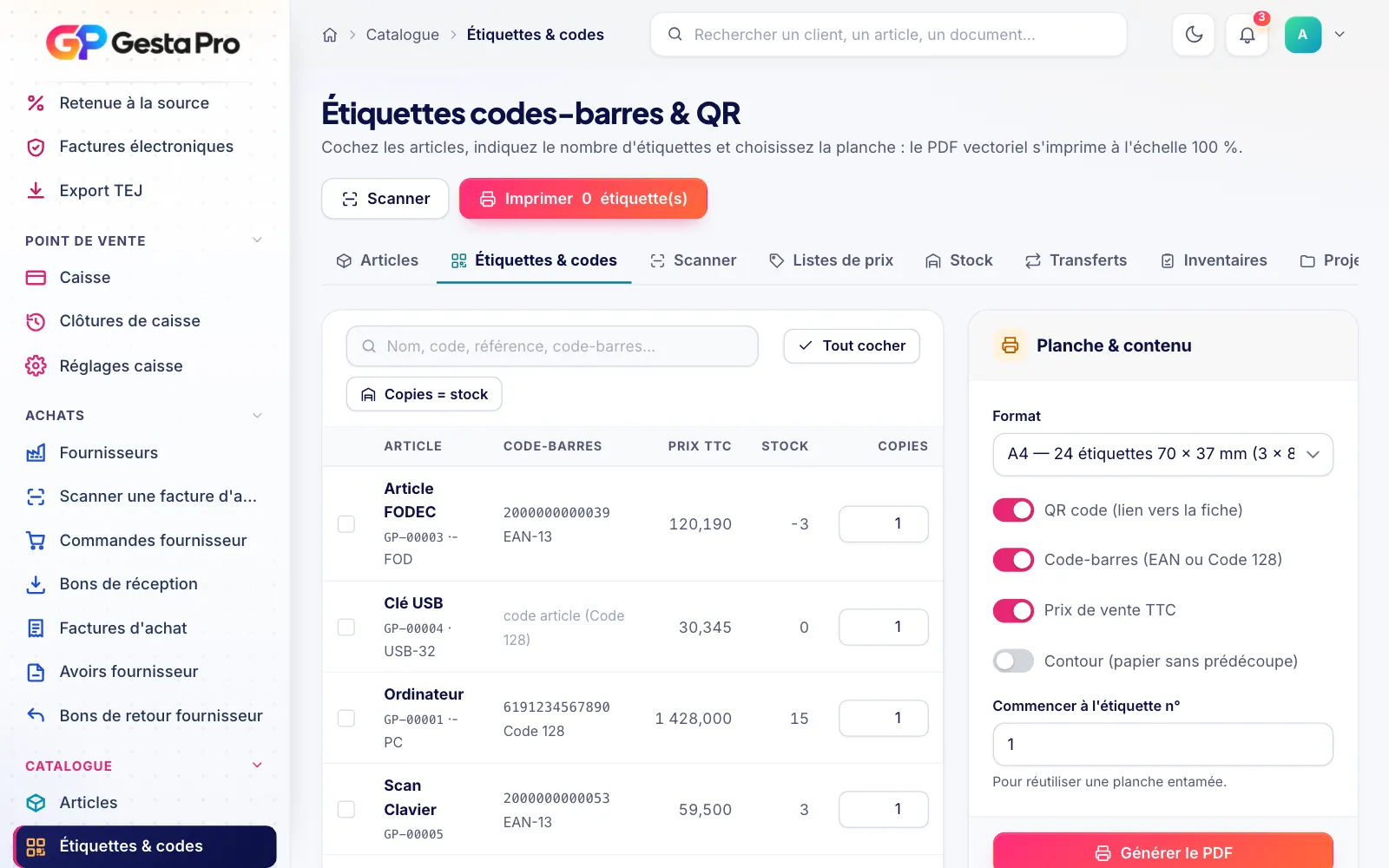
Each label carries the item's QR code and barcode, with its price incl. VAT if you wish.
| Format | Labels |
|---|---|
| A4 (3 × 8) | 24 labels of 70 × 37 mm |
| A4 (3 × 7) | 21 labels of 63,5 × 38,1 mm |
| A4 (2 × 7) | 14 labels of 99,1 × 38,1 mm |
| A4 (4 × 10) | 40 labels of 48,5 × 25,4 mm |
| Thermal roll | 50 × 30 mm |
| Thermal roll | 58 × 40 mm |
How do you take inventory by scanning?
- Each read adds one unit to the count, or replaces the count entered
- An item missing from the inventory sheet is added with its theoretical stock
- Blind counting possible, without displaying the expected stock
- Differences between theoretical and counted stock valued at the purchase price excl. VAT
- Full-screen mobile scanner on the phone
Can you create your own EAN-13 codes?
Yes. GestaPro calculates the check digit and assigns an internal EAN-13 with a 2xx prefix, reserved for restricted circulation, to items that have no manufacturer code.
FAQ
Frequently asked questions
Another question? We will show you GestaPro with your own cases in a demo.
Ask your questionWhich barcode scanner can be used with GestaPro?
Any USB or Bluetooth barcode scanner that works in keyboard mode. GestaPro also corrects reads from a scanner set to QWERTY on an AZERTY workstation.
Can the phone replace the barcode scanner?
Yes. GestaPro's full-screen mobile scanner uses the phone camera to read barcodes and QR codes.
Can labels display the price?
Yes. The price incl. VAT can be displayed as an option, on any of the 6 formats: A4 sheets or rolls for thermal printers.
Which barcodes does GestaPro recognize?
EAN-13, EAN-8 and Code 128, as well as the QR code printed on GestaPro labels.
See GestaPro with your own documents
A demo tailored to your business, with no commitment.